Why This Happens
A supplier Advance Payment is recorded against a specific PO line. If that PO line gets closed before the advance is reconciled against a real invoice, the advance is effectively stranded — it stays on the books as a Prepaid Expense with no clean way to apply it. This procedure walks through reopening the PO and using a Debit Memo to clear the advance properly.
Step 1: Reopen the PO
Reopen the PO, the PO Line, and the Line Release that the Advance Payment was originally issued against. The advance can't be cleared against a line that's still closed.
Step 2: Process a Debit Memo
Navigate to: Accounts Payable > AP Invoice Entry
Create a Group
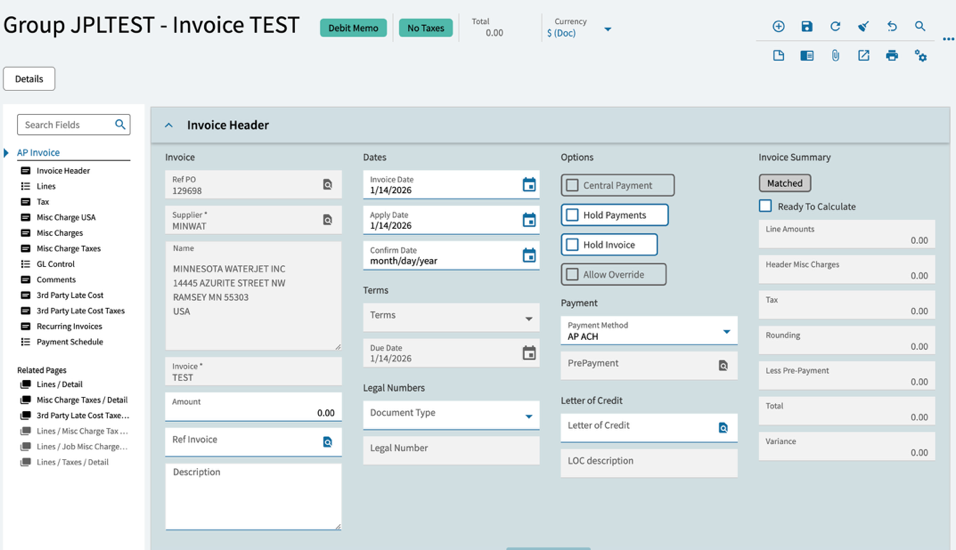
Start a new invoice group in AP Invoice Entry.
Create the Debit Memo
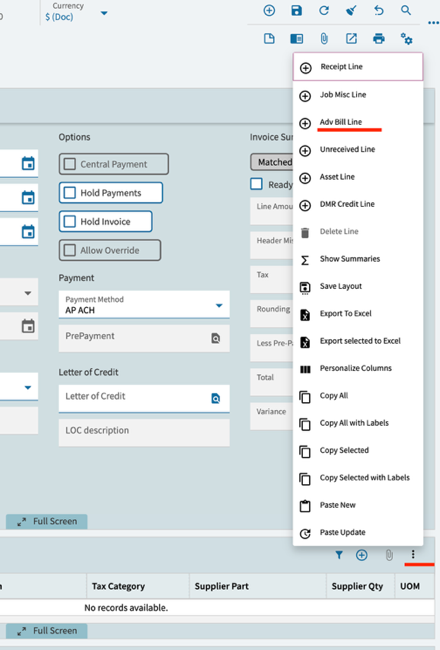
From the overflow menu (⋮), select Create Debit Memo, then complete the Debit Memo header.
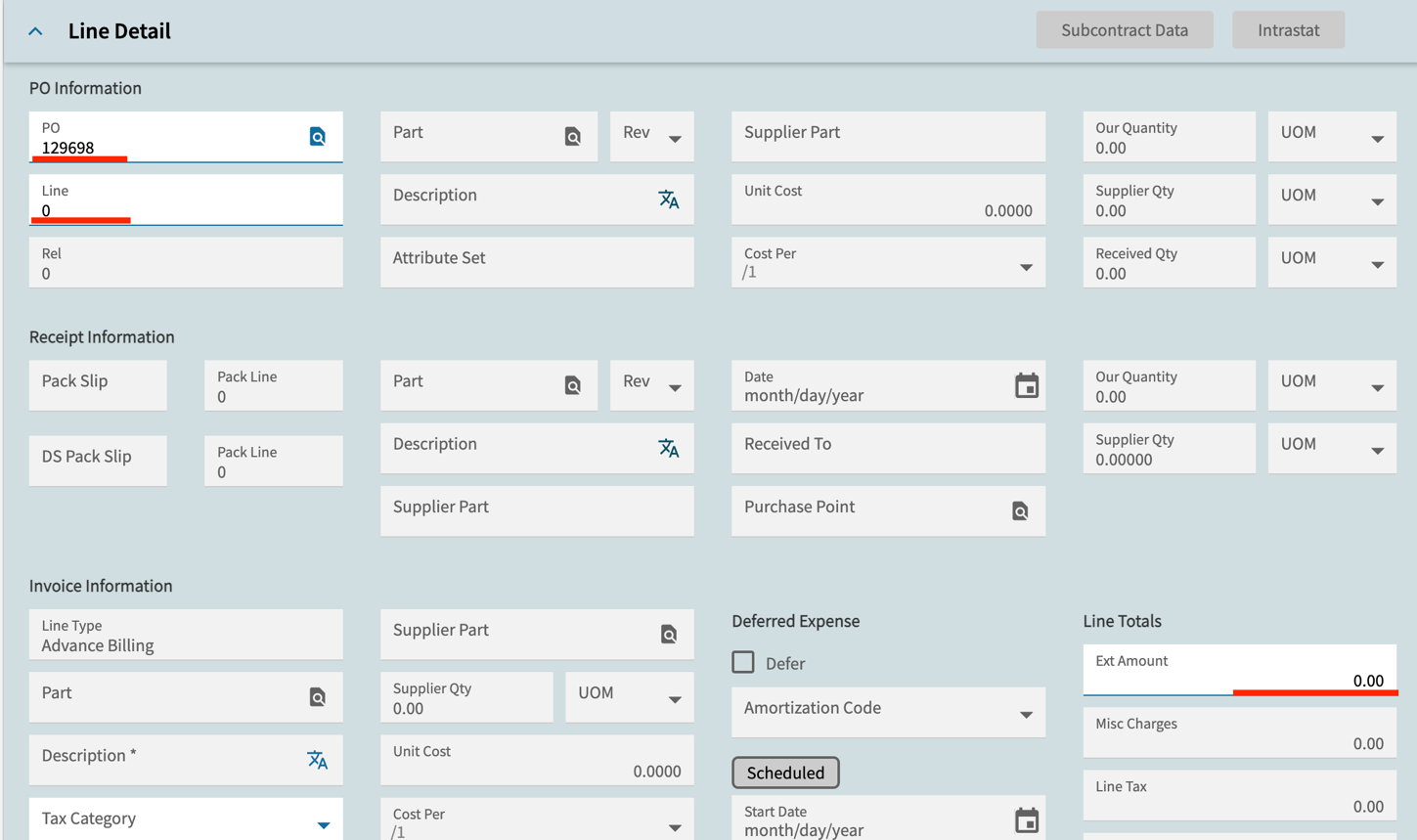
Select the Advance Billing Line
From the Lines card, select Advance Billing Line (Adv Bill Line). Enter the PO Number and Line Number — the system automatically populates the Advance Payment amount in the Ext Amount field.
Step 3: Review and Post
Run the Edit List and verify the results before posting:
- Credit: Prepaid Expense account (Advance Payment)
- Debit: Accounts Payable (AP) account
Once confirmed, post the Debit Memo.
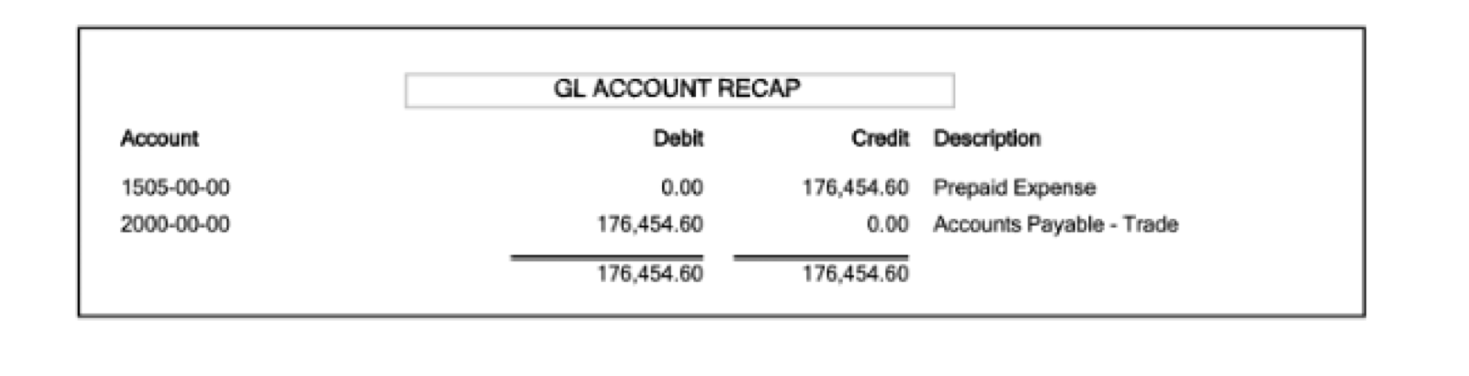
If the Edit List doesn't show this exact Credit/Debit pairing, stop and check that you selected Advance Billing Line (not a standard invoice line) — a standard line will post differently and won't clear the original advance correctly.
Step 4: Apply the Debit Memo
Navigate to: Accounts Payable > Apply Debit Memo
Select the supplier and apply the Debit Memo to any open invoices for that supplier. This nets the advance against a real invoice, closing out the Prepaid Expense balance.
If the supplier has no open invoices to apply the Debit Memo against, it will sit open on the supplier's account until one is available. Confirm with AP whether an unapplied Debit Memo balance is acceptable for your reporting period before closing the books.
Still Stuck? We Can Help.
If this guide didn't fully resolve your issue — or you have a backlog of stranded advance payments — our Epicor consultants are available same-day. No long-term contract required.